Opening Keep…

OBSCURA Keep
Your documents, passwords and two-step codes, encrypted on this device.
On your phone as well: save the Keep as one encrypted file and open it there; later copies are merged item by item.
This browser’s Pro key was not accepted: the subscription behind it has ended. Renew or subscribe below.
Keep onlyUS$35 a year, 7 days free EverythingUS$79 a year, 7 days free Sign in
7 days free, then charged unless you cancel. Refunded in full within 14 days.In place of 1Password Individual, US$47.88 a year (1password.com, read 29 October 2026); here US$35.
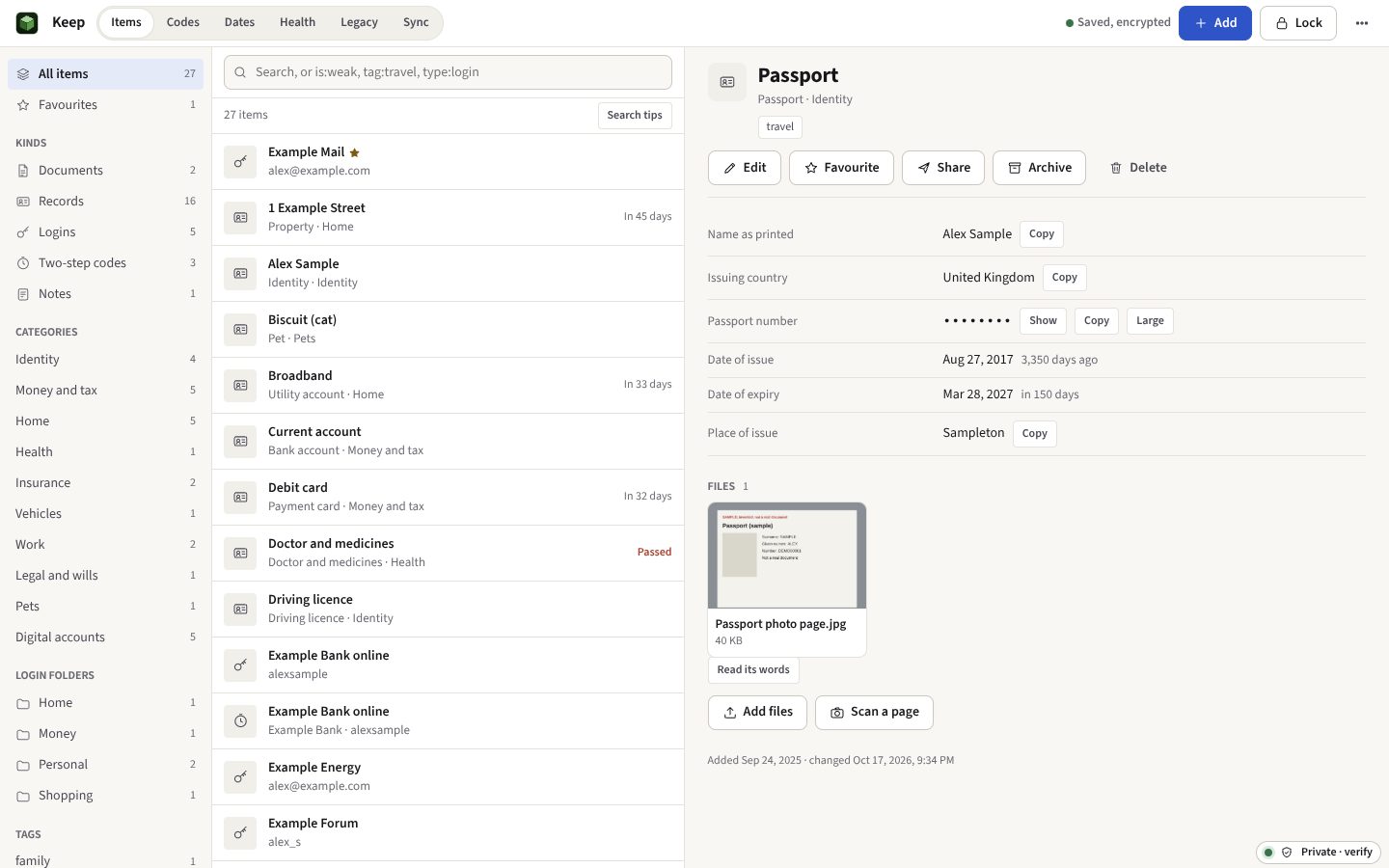
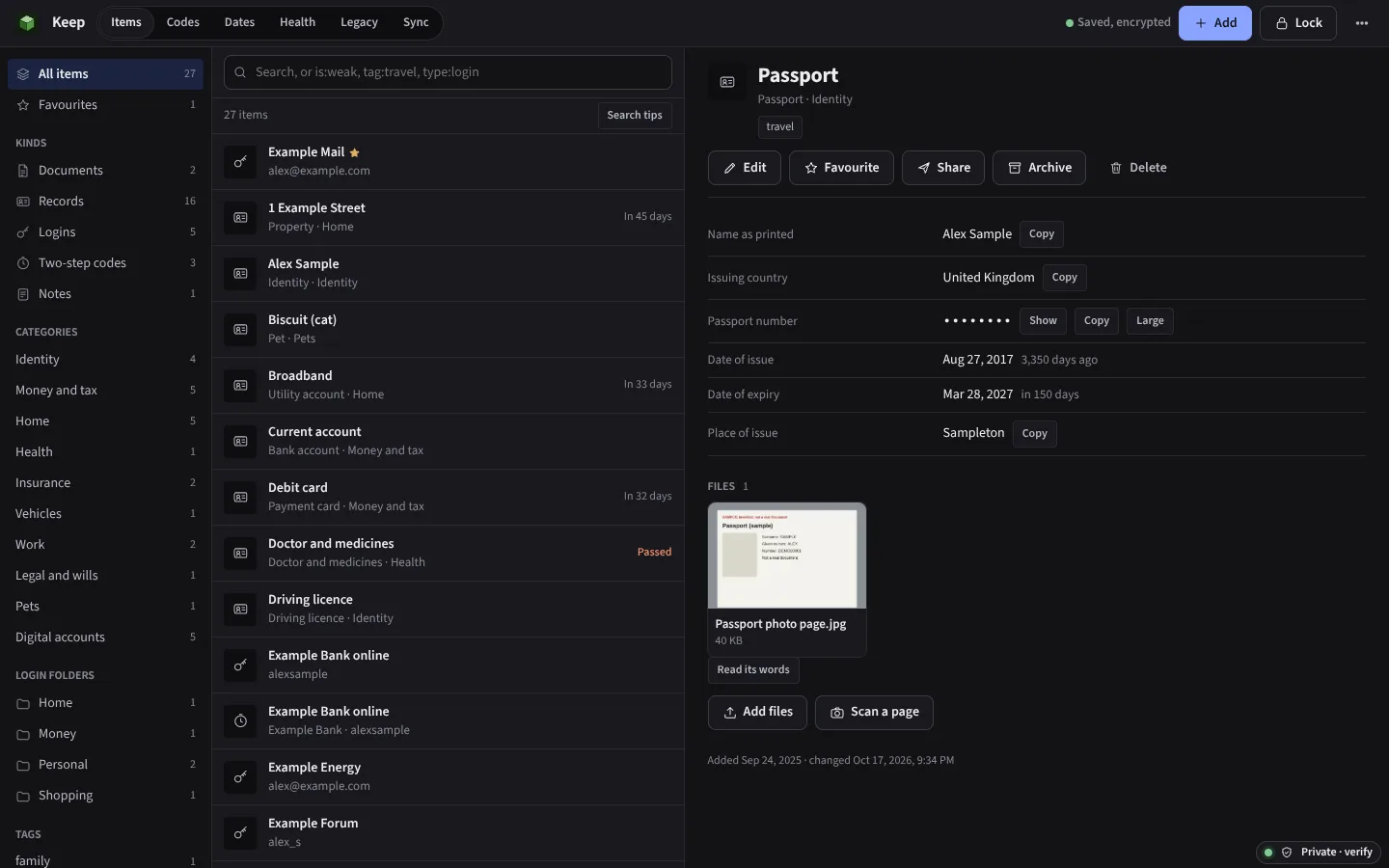
- Documents, scanned and searchable
- Passwords, codes and quick access
- A health score and watch list
- Vaults and an archive
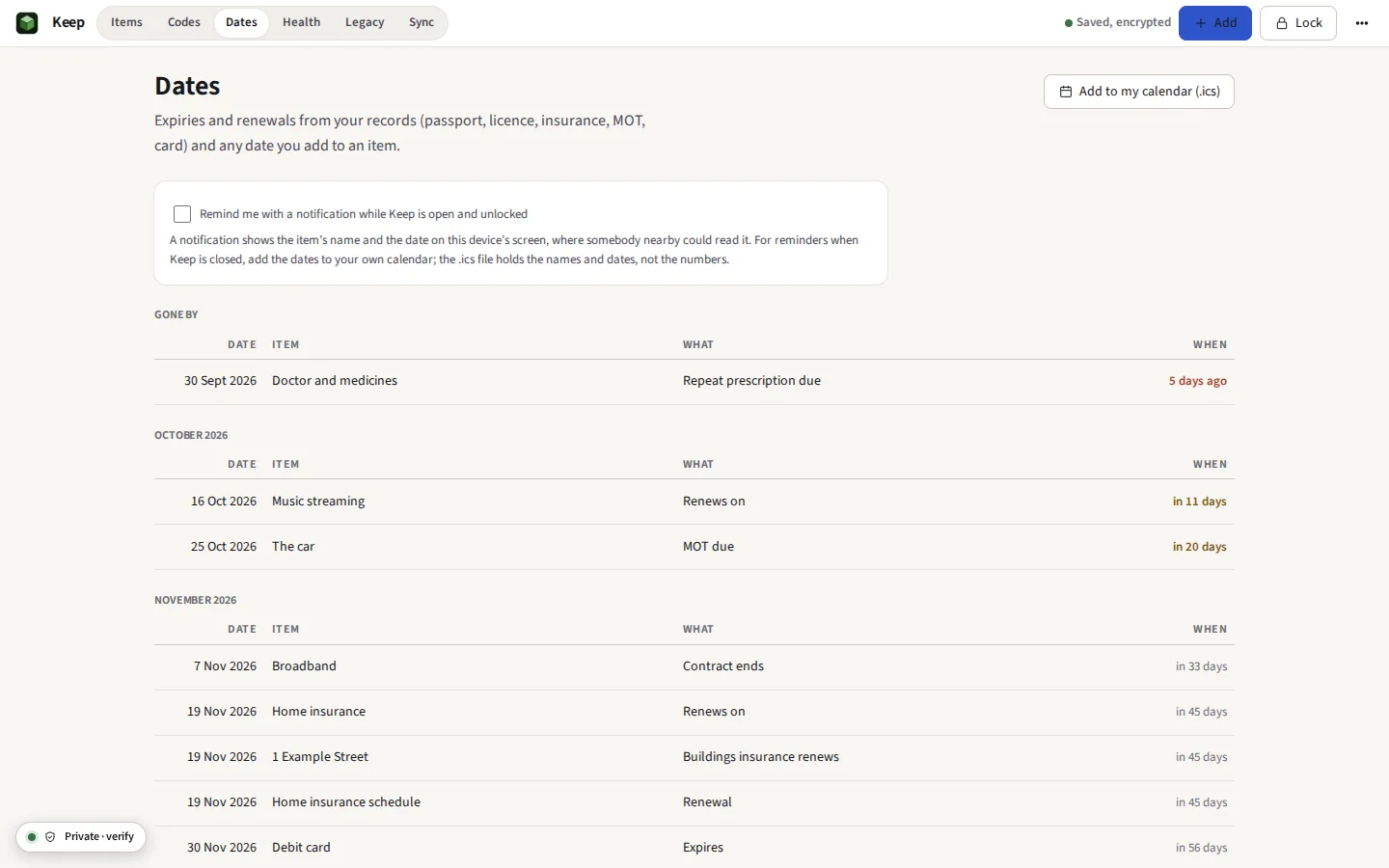
- Every expiry on one timeline
- A recovery key in shares
Opening a package somebody left you? That needs no subscription: open it at obscuraos.com/keep-open.
Keep at work
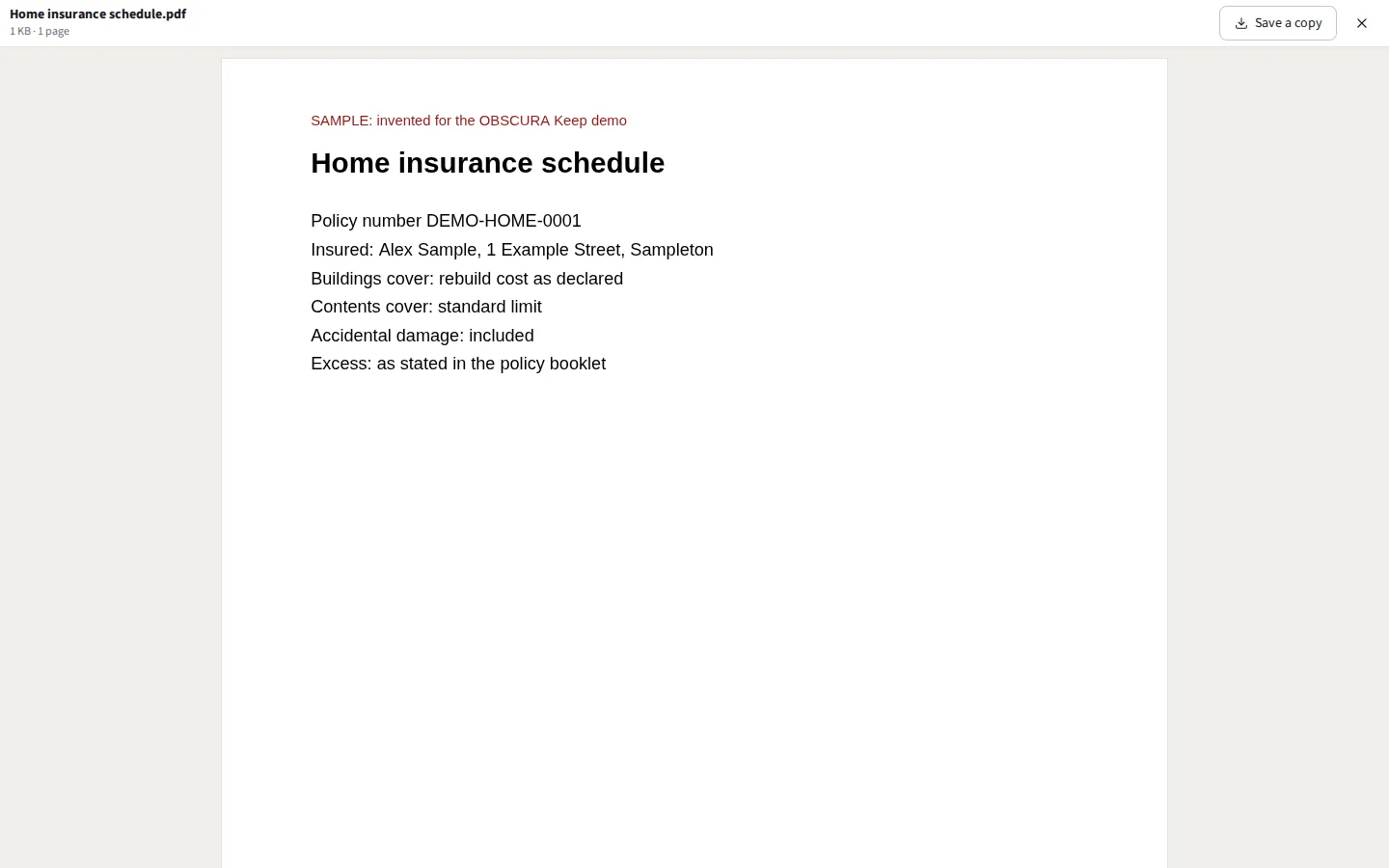
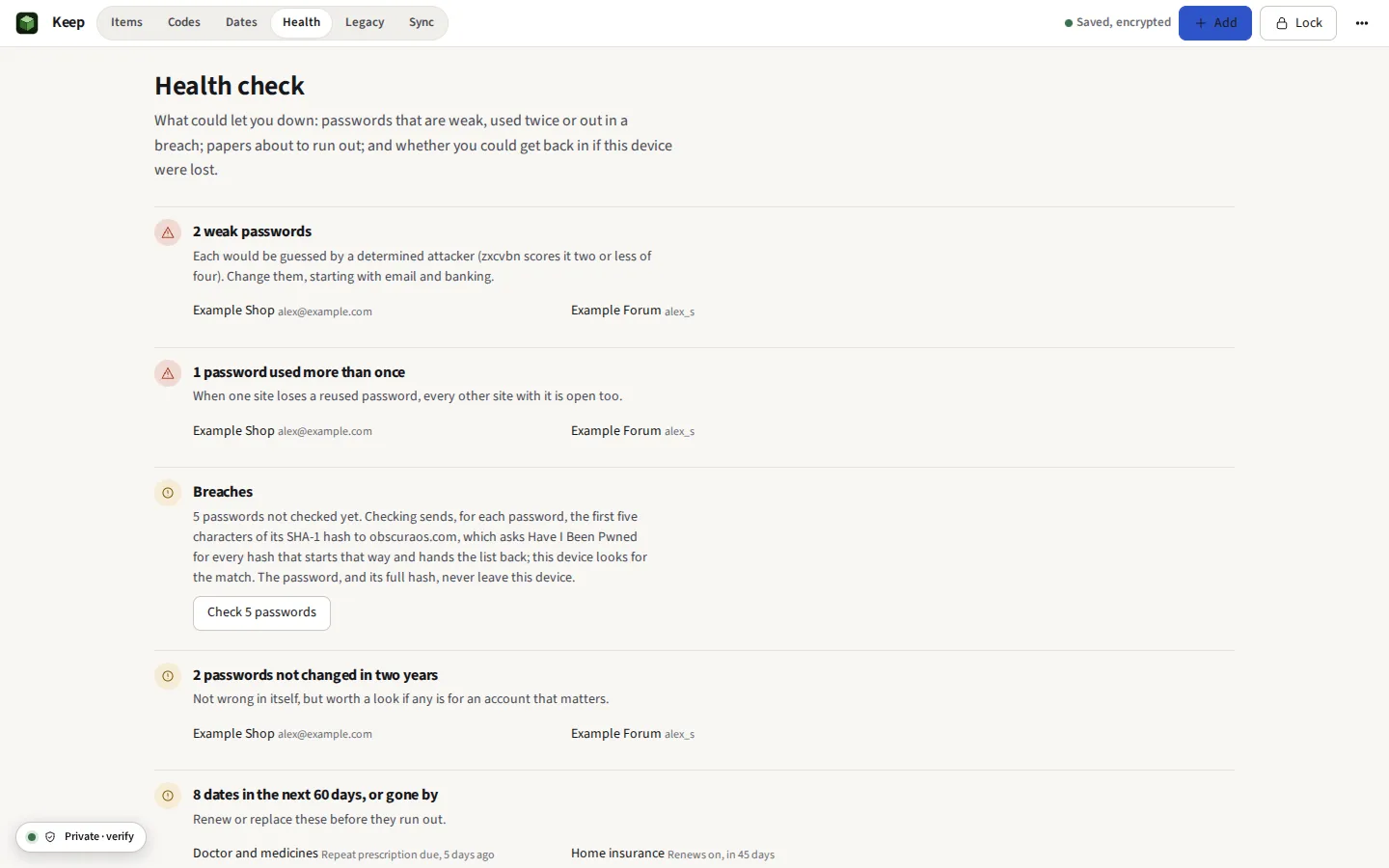
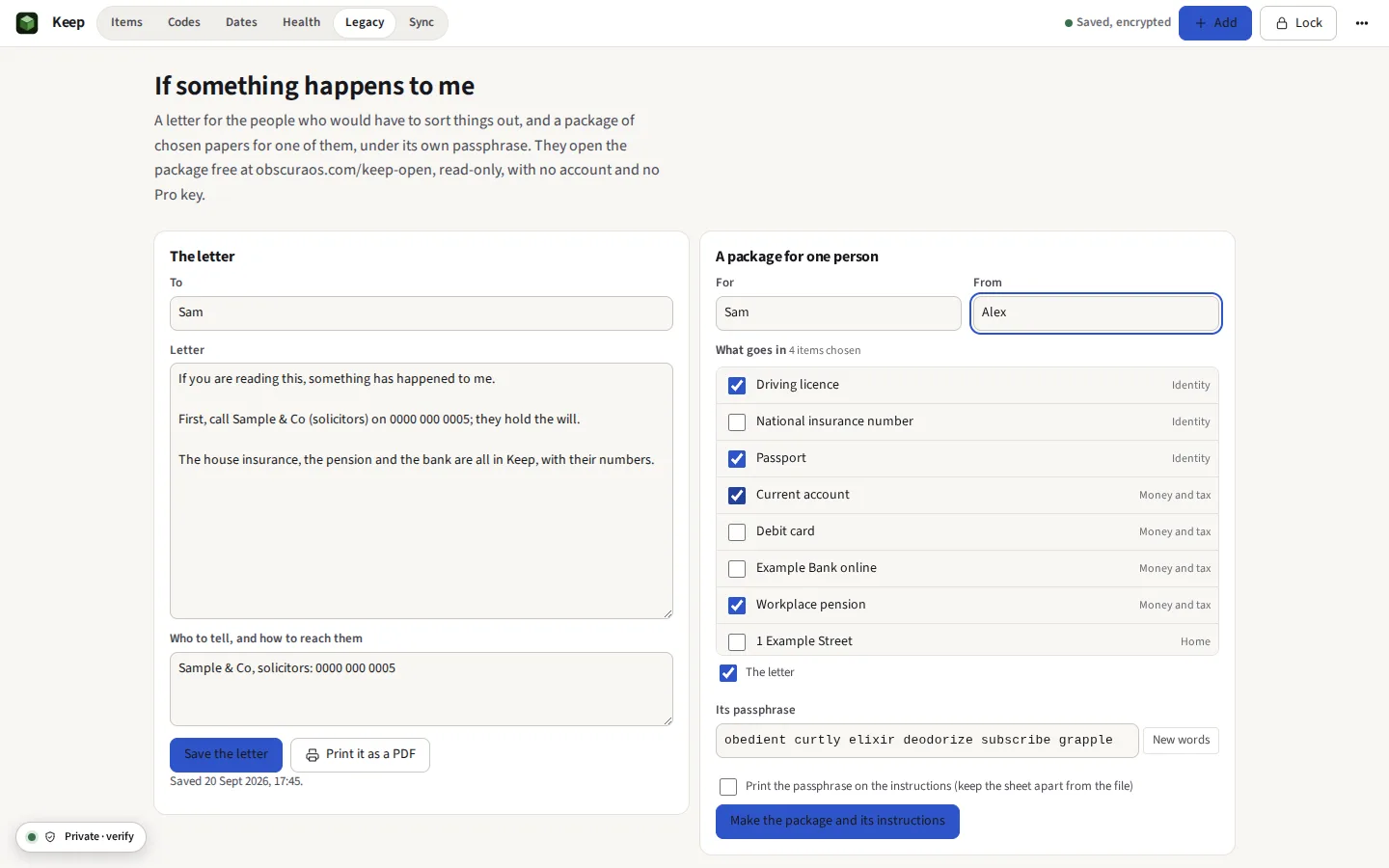
Taken from Keep itself, with a Keep invented from end to end: Alex Sample of 1 Example Street, numbers of zeros, documents stamped SAMPLE.




Everything it does
Passports, wills, policies, logins and two-step codes in one place, encrypted before anything is stored. Nothing is uploaded. A password manager and a document store with no cloud behind it: Argon2id and AES-256-GCM, a health score that says what to fix, scans read for their words, the dates that matter on one timeline, a plan and a package for your family, travel mode, and sync through a folder of your own.
Before you start: No browser extension: you copy a password or a code, and Keep does not fill it into other sites. What else it does not do
Compared with 1Password and Bitwarden.
In brief
- Documents Passports, wills, deeds, policies and tax returns of any file type, kept in eleven life categories with tags, previewed inside Keep, and found by their words: a PDF's own, or a scan's or a photograph's, read on the device
- Records Templates for a passport, a driving licence, a bank account, a card, an insurance policy, a vehicle, a property, a pension, a doctor, a Wi-Fi network, a will, a subscription, an identity, an SSH key, a server and more, each with files attached; kinds of your own, made from the fields you choose and passed on as a small file; and fields of your own on any item
- Passwords Logins in folders, a generator of characters, words, PINs and user names that follows a site’s rules, the history of old passwords and of every earlier version, Recently deleted for thirty days, import from 1Password (attachments and all), Bitwarden, a KeePass database itself (with its key file), Keeper, Enpass, LastPass, RoboForm, NordPass, Proton Pass, Dashlane, Chrome, Edge, Firefox, Safari and KEYS, and everything out again as a KeePass database, files and all
- Health A score out of 100 with its history, and every login that needs something, each with its fix: in a breach, reused, weak, sent to an http:// address, two years old, the same login twice, or on one of 1,288 sites that offer two-step codes with none set; a watch list of the logins on sites that take a passkey; and papers about to run out
- Quick access Ctrl Shift Space over any screen: find an item, and Enter copies its password, another key its username or its code
- Vaults and the archive Groups of items inside one Keep, such as Work and Family, each of which can be hidden; and an archive for what is finished with but kept. Files go on any item, a login, a note or a code included
- Signing in The username, the password and the code copied in turn as you come back to the tab, each cleared from the clipboard after, and any of them in large characters to type by eye
- Two-step codes Time-based, counter-based and Steam Guard codes shown live, added from a QR code with the camera or a picture, or brought in from Aegis and 2FAS
- Dates Every expiry and renewal on one timeline, a passport nine months ahead and a warranty a month, with reminders and a calendar file for your own calendar
- Scanning A photograph from the phone’s camera, the page’s edges found, straightened, read for its words and kept as a PDF; a passport’s machine-readable lines fill in its record
- If something happens A letter, a plan (executors, what to do first, where things are, and what to do with each account), and a package of chosen papers for one person under its own passphrase, which they open without a subscription; a drill opens it as they would
- Sharing One item as an encrypted file that stops opening after a time, or opens once; or to your own other device by QR code, screen to camera
- Travel mode Only what is marked safe for travel stays on the device, under a passphrase for the journey; the rest comes back from your backup when you are home
- Sync with no server One encrypted file, kept in step through a folder of your own, such as Dropbox or iCloud Drive, and merged item by item; a second Keep, for the household, shared the same way through a folder you all use
- Unlocking The passphrase, a passkey with your fingerprint, face or device PIN, or the printed recovery key, which can be split among trusted people on cards so that any few of them together open the Keep
How it is encrypted, two devices with no server, what to leave for your family, and moving from another manager or away from Keep are in Help.
What it cannot do yet
Said now, so that nobody pays to find out.
- No browser extension. Keep does not fill passwords into other sites. You copy a password or a code, and the clipboard is cleared after the time you set, 30 seconds unless you change it, when Keep can tell it still holds what Keep copied; where the browser will not let Keep look and you have been to another window since, Keep leaves it alone and its bar clears it when you press it.
- Sync only through your own folder or file. There is no OBSCURA server to sync through, by design. Automatic sync needs Chrome or Edge on a computer; elsewhere you move the file yourself.
- A forgotten passphrase with no recovery key is the end of it. Nobody can reset it, OBSCURA included. Keep asks you to make the recovery key and print the emergency kit, and the health check reminds you until you have.
- It cannot protect a device that is already compromised. Malware, a malicious browser extension or somebody watching the screen can see what you see once Keep is unlocked. The threat model says more.
- Reading a scan’s words fetches the reader once. It runs on the device, and nothing of the scan is sent anywhere, but the reader and its English data, about 4 MB, come from this site the first time. Handwriting is not read.
- Shares stop opening only where they are opened. An expiry or a single opening is kept by /keep-open and by Keep, on the clock of the computer opening it. Somebody who saves what they read is not stopped by it.
- The passkey watch list says where, not whether. Keep cannot see which sites already have a passkey for you; it lists the logins on sites that take one until you mark them. It does not sign in with a passkey itself.
- Shares are made only with a new recovery key. The key is shown once and not kept, so it can be split only in the moment it is made; to split an older one, make a new one.
- Reminders while Keep is closed come late, and say little. A browser cannot wake a closed site at a set time. With Keep closed, a notification comes the next time any page of the site is opened after a date comes up (or about twice a day, where the site is installed as an app in Chrome or Edge), and says only that a date needs attention. For reminders on the day, add the dates to your own calendar from Dates.
- The browser can clear it. If the site’s data is cleared, the Keep on that device goes with it. Keep a saved file or a folder copy; the health check counts the days since the last one.